

Time Management Quadrant: Sort Urgent from Important
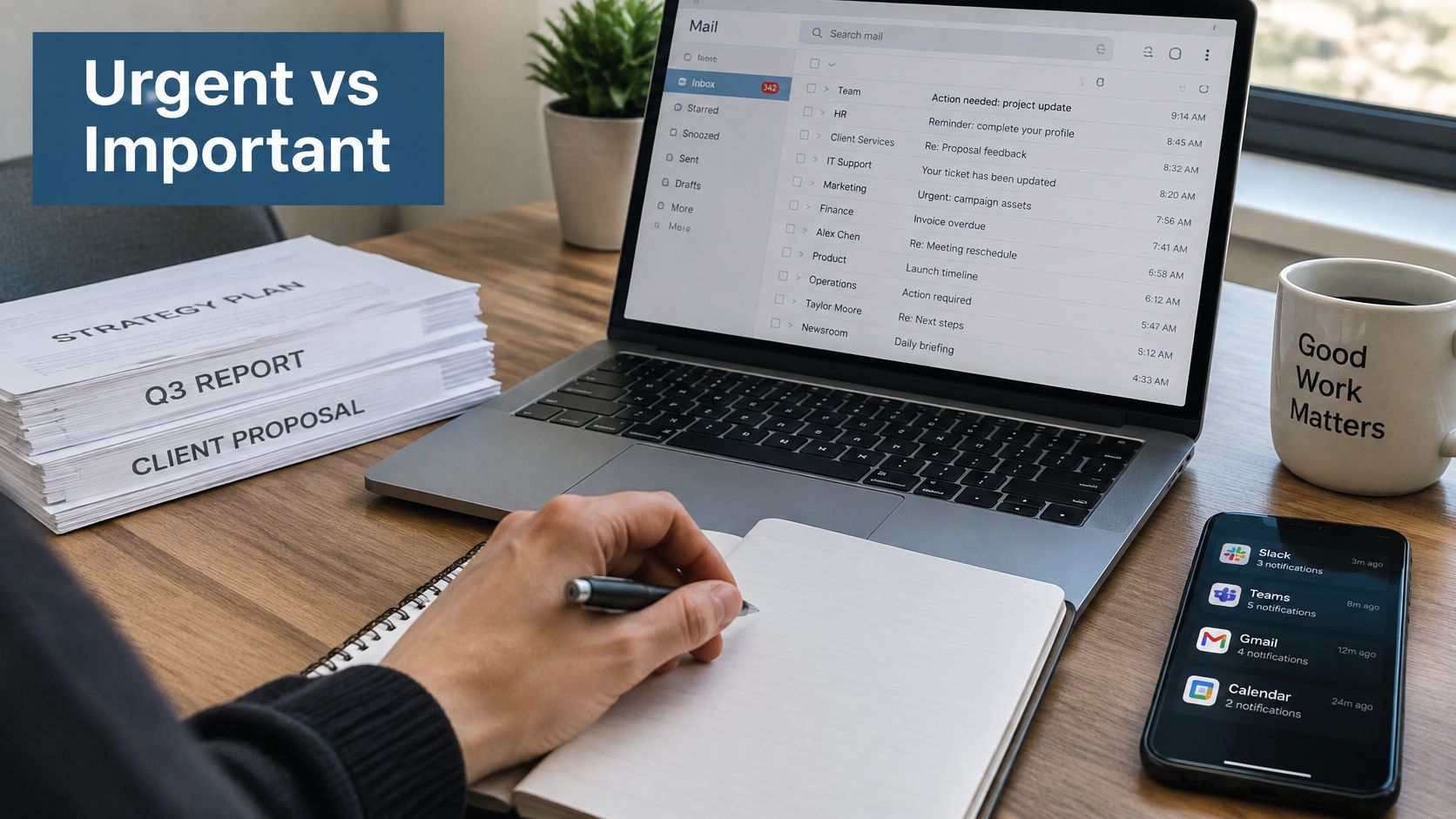
It's Monday morning, and you've opened your laptop to prepare a client proposal. Before you begin, a colleague needs an update, a client flags an email as urgent, and a meeting invitation lands across your only clear stretch of time. By evening, you've answered everyone, but the proposal hasn't moved.
The time management quadrant helps you separate what needs attention soon from what deserves attention because it matters. Used thoughtfully, it also raises a harder question: whose priorities are you serving, and what's the cost of staying constantly available?
Table of Contents
Where the Time Management Quadrant Came From - From a leadership principle to a practical grid
The Four Quadrants and the Action Each Needs - Match the category to a decision - Don't classify by task name alone
Sort Any Task With an Urgency Audit - Make the request concrete before sorting it - Test an evening client request
Protecting Important Work From Constant Interruptions - Protect a work product, not an empty appointment - Leave yourself a reliable way back
Where the Quadrant Falls Short on Recovery - Add capacity to the decision
Track One Week of Quadrant Time - Compare your intentions with your actual week - Test whether the change helps
Where the Time Management Quadrant Came From
Your Monday problem isn't necessarily a lack of effort. You might be working diligently while letting the order of incoming requests determine the order of your work. Urgency and importance are different judgments, even when they feel identical in the moment.
According to Asana's history of the Eisenhower Matrix, Dwight D. Eisenhower quoted a university president in a 1954 address, distinguishing urgent problems requiring immediate attention from important problems connected to longer-term objectives. The familiar principle is that what's important is seldom urgent, and what's urgent is seldom important.
From a leadership principle to a practical grid
Eisenhower didn't create the familiar diagram himself. Stephen Covey later formalized and popularized the categories in The 7 Habits of Highly Effective People, published in 1989, as described in the history linked above.
The grid separates tasks into:
Urgent and important, work with meaningful consequences and little time remaining.
Important but not urgent, work worth protecting before it becomes a crisis.
Urgent but not important, pressing demands with limited value.
Neither urgent nor important, activities that don't warrant your attention.
The distinction remains useful because immediate pressure isn't a reliable measure of strategic value. Answering a routine message can feel satisfying, while preparing for a promotion conversation can feel easy to postpone.
Keep your current week in mind, including unfinished work and commitments outside the office. Which tasks carry real consequences, and which merely arrived with the strongest demand for attention?
The Four Quadrants and the Action Each Needs
Importance describes the size and significance of the outcome a task affects. Urgency describes the available window before action is needed. A task can have either quality, both, or neither.
In a time-management survey summarized by TimeTac, 50% of people who use the Eisenhower Matrix report feeling that their work is under control every day. That's an observational finding, not proof that using the matrix causes better performance.
Match the category to a decision
The challenge is that urgency attracts attention even when the payoff is smaller. Across five experiments, researchers studying the mere urgency effect found that people favored tasks with short or apparently expiring deadlines over objectively more valuable alternatives, according to the published study.
The matrix counters that tendency by attaching an action to each category.
Quadrant | Typical tasks | Action |
|---|---|---|
I. Urgent and important | Client deadline due today, system outage, filing due tomorrow | Do now |
II. Important but not urgent | Strategic planning, skill development, promotion preparation, recovery time | Schedule protected blocks |
III. Urgent but not important | Most interruptions, routine status emails, low-stakes meeting requests | Delegate, batch or limit |
IV. Neither urgent nor important | Aimless browsing, unnecessary meetings, redundant busywork | Eliminate |
For Quadrant I, say a lawyer must finalize documents for an imminent filing. Missing the deadline would have meaningful consequences, so the work takes priority over routine requests.
In Quadrant II, an accountant might document achievements ahead of a compensation discussion. There's no immediate emergency, but leaving preparation until the meeting invitation arrives limits the opportunity to make a strong case.
A consultant's routine request for a status summary may fit Quadrant III if the information is already available and no significant decision depends on an immediate response. Learning how to delegate helps you transfer suitable work with a clear owner, expected outcome and deadline, rather than merely forwarding an interruption.
For Quadrant IV, consider an accountant manually polishing a duplicate internal report that nobody uses. Confirm that the output isn't required, then stop producing it.
Don't classify by task name alone
An email isn't automatically low-value, and a meeting isn't automatically wasteful. A message about a material client error belongs somewhere different from a routine scheduling request.
Likewise, not important doesn't mean the requester is unimportant. It means the task's consequences don't justify displacing higher-value responsibilities.
Place a few tasks from your current week into the table. For each, identify both the category and the action you'll take.
Sort Any Task With an Urgency Audit
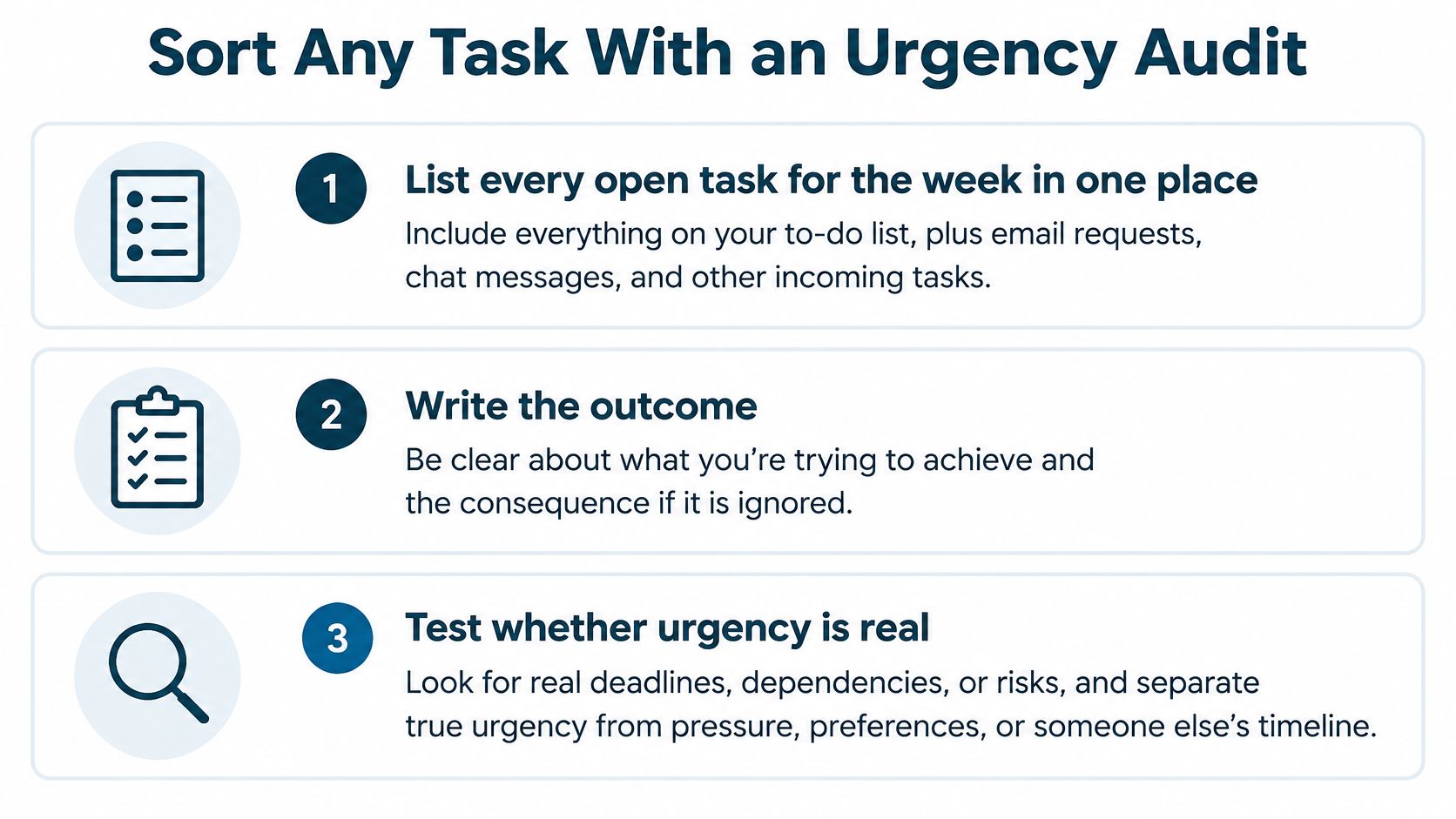
Before placing a new request in Quadrant I, test its urgency. A senior colleague's anxious tone, a client's evening email or your own discomfort with leaving a message unanswered doesn't establish a hard deadline.
Use these questions before rearranging your day:
Who is asking, and who benefits? Identify the requester, the person using the result and who bears the consequence of delay.
What evidence makes it urgent? Look for a blocked decision, a real obligation or a meaningful risk.
What's the true deadline? Find out when someone needs to use the output, not when they'd prefer to receive it.
Can the deadline be renegotiated? Offer a workable alternative or a smaller deliverable if appropriate.
What boundary is required? Clarify ownership, response expectations or what must be postponed to accommodate the request.
Make the request concrete before sorting it
Start with a single list in a notebook, spreadsheet or task manager. Include commitments hidden in email, chat, meeting notes and your memory. Otherwise, you'll sort the visible projects while overlooking the smaller promises consuming your week.
For each task, write the outcome of not doing it. Name the stakeholder affected and whether the consequences are reversible. Missing a consequential filing and delaying a cosmetic slide revision aren't equivalent, even if both requesters want action immediately.
Then assign the quadrant:
High consequence and an inflexible near-term deadline belong in Quadrant I.
High consequence with flexible timing belongs in Quadrant II.
Low consequence with a pressing request belongs in Quadrant III.
Low consequence without a meaningful deadline belongs in Quadrant IV.
Apply the corresponding action immediately. Schedule important work with a concrete next step; give routine requests a response window; remove unnecessary tasks after checking that nobody needs the result.
Test an evening client request
Say a client emails in the evening asking for a revised figure. If a filing or payment depends on that figure before morning, immediate attention may be justified.
If the client won't use it until Friday and the change is low-stakes, confirm the actual timing and place it in Quadrant III. If the revision affects a significant recommendation, it may instead belong in Quadrant II. A flexible deadline changes urgency, not importance.
You could respond by confirming when the figure is needed and stating when you can deliver it. If the client needs it sooner, ask what decision depends on it and explain which existing commitment would need to move.
Sort by consequence, not by how forcefully someone asks.
The pressure is substantial: CNBC's account of Microsoft telemetry reported that knowledge workers across 31 markets experienced a disruption roughly every two minutes, including meetings, email and messages. That doesn't make every interruption harmful, but it makes automatic compliance a poor default.
At day's end, revisit unfinished tasks. Move items when the evidence changes, and notice whether anxiety or assumptions led you to classify something as an emergency.
Protecting Important Work From Constant Interruptions
A calendar block for strategic planning won't help much if you keep checking messages throughout it. Protecting important work requires decisions about access, not just decisions about scheduling.
A review of workplace interruption research describes people switching activities roughly every three minutes in real-world settings, with more frequent switching associated with lower perceived productivity. It also discusses attention residue, where attention remains partly attached to an unfinished task after a switch.
Protect a work product, not an empty appointment
Make each focus block specific. Instead of booking time for career development, identify an output such as drafting your promotion case, comparing leadership opportunities or preparing evidence for a compensation discussion.
Optimal Native's resource to compare deep work and shallow work offers a useful way to distinguish activities requiring sustained concentration from routine coordination. Both can be necessary, but they don't need the same working conditions.
Use practical access rules:
Reserve uninterrupted blocks for strategic planning, leadership preparation, compensation discussions and other demanding work.
Batch routine communications into defined windows rather than responding whenever a notification appears.
Create a genuine escalation route so colleagues know how to reach you when a consequential issue can't wait.
Reschedule displaced focus time deliberately instead of allowing a crisis-heavy day to erase it.
A workplace boundaries workbook can help you turn those intentions into clear expectations. A boundary is more usable when colleagues know both when you're unavailable and when they can expect a response.
Leave yourself a reliable way back
Before a planned switch, write a ready-to-resume note. Record the next physical action, the unresolved decision, the relevant file or evidence, and your intended restart time.
For example, a consultant could note that the next action is to compare the revised forecast with the assumptions tab, while flagging the unresolved question about seasonal demand. That's more useful than leaving a reminder to finish the analysis.
Practical rule: Before switching away, leave enough detail that you won't have to reconstruct your reasoning from scratch.
These rules involve trade-offs. Some colleagues will wait longer for routine responses, and some situations require interruption. Agreeing on an exception process lets you protect concentration without pretending you can work in isolation.
Where the Quadrant Falls Short on Recovery
The time management quadrant tells you which tasks deserve attention. It doesn't tell you whether you have the capacity to do them well.
Guidance that emphasizes planning, prevention and development can leave out sleep, decompression, family commitments, emotional labor and recovery after interruptions. If you fill every available space with strategic work, you can follow the grid diligently and still deplete yourself.
Add capacity to the decision
In a 2025 study of real work sessions, participants focused on their main task for an average of about six minutes at a time, according to the ETH Zurich study. The researchers also found that multitasking's effects depended on context and individual characteristics, rather than being uniformly harmful.
Add an energy and recovery check alongside urgency and importance. A consequential task may need attention now, but exhaustion can make independent completion unsafe or unreliable. The appropriate response may be support, a review by a rested colleague or renegotiated scope.
Set a daily cognitive-load limit. Don't schedule demanding analysis across every available hour.
Allow transition buffers. Leave space between intensive work and emotionally demanding conversations.
Define notification rules. Keep nonessential alerts from extending your working day.
Protect non-work time. Treat sleep, relationships and decompression as commitments, not leftover capacity.
Recovery is a preventive control, not a reward for finishing everything.
Exploring the different types of rest can help you identify what you need beyond stopping work. Our founder, Lauren Baptiste, holds that doing more work from a place of burnout isn't a sustainable way up the corporate ladder. Ambition and recovery need room in the same plan.
Track One Week of Quadrant Time
A completed to-do list can make a busy week feel productive even when your most important outcomes remain untouched. Logging time helps you distinguish the amount of activity from the value of the work completed.
Use a spreadsheet or notebook with columns for task, quadrant, minutes spent and intended outcome. If you'd rather use a timer, Tuff's guide to time tracking tools for freelancers can help you compare options. Choose something you'll maintain without turning tracking into another project.
Compare your intentions with your actual week
Record tasks as you finish them, including unexpected requests. Keep recovery visible in your Quadrant II total so it doesn't disappear beneath billable work or strategic projects.
At the end of the week, total the time in each category and compare it with what you intended. Interpret the pattern without turning it into a judgment about your discipline.
Pattern in your log | Question to investigate |
|---|---|
Urgent, important work dominates | Were deadlines anticipated, responsibilities clear and staffing adequate? |
Routine requests displace priorities | Which response expectations need changing? |
Important projects barely move | Were the next actions realistic and the blocks actually protected? |
Recovery repeatedly disappears | Does the workload exceed available capacity? |
Choose a manageable change for the following week. You might protect an early focus block, introduce fixed communication windows or audit new requests before accepting their timing.
Test whether the change helps
Alongside task time, record interruption counts, minutes needed to resume and errors or rework after switching. Compare these measures across the initial week and the following week after introducing your change.
If they decline, that's a useful practical signal that you're reducing friction, although it isn't proof that the schedule change caused every improvement. Also check whether meaningful work advanced and whether you preserved time outside work.
Start tomorrow morning with the tasks already on your list. Keep the log simple enough to repeat, include recovery, and use the comparison to make your next decision rather than trying to engineer a perfect week.
At Acheloa Wellness, we offer one-on-one burnout and executive coaching that meets you where you are, with coaching and tools for workload, boundaries and career decisions. Lauren Baptiste works with professional women and business owners who want more promotions, more money, more time off and more respect without quitting or downshifting. Visit Acheloa Wellness to explore support for turning clearer priorities into a more sustainable working week.

